
Stealth VPN Disconnect Internet
If you are having an issue with your internet being disconnected or constantly disconnecting while using PC Matic Stealth VPN, please follow the steps below.
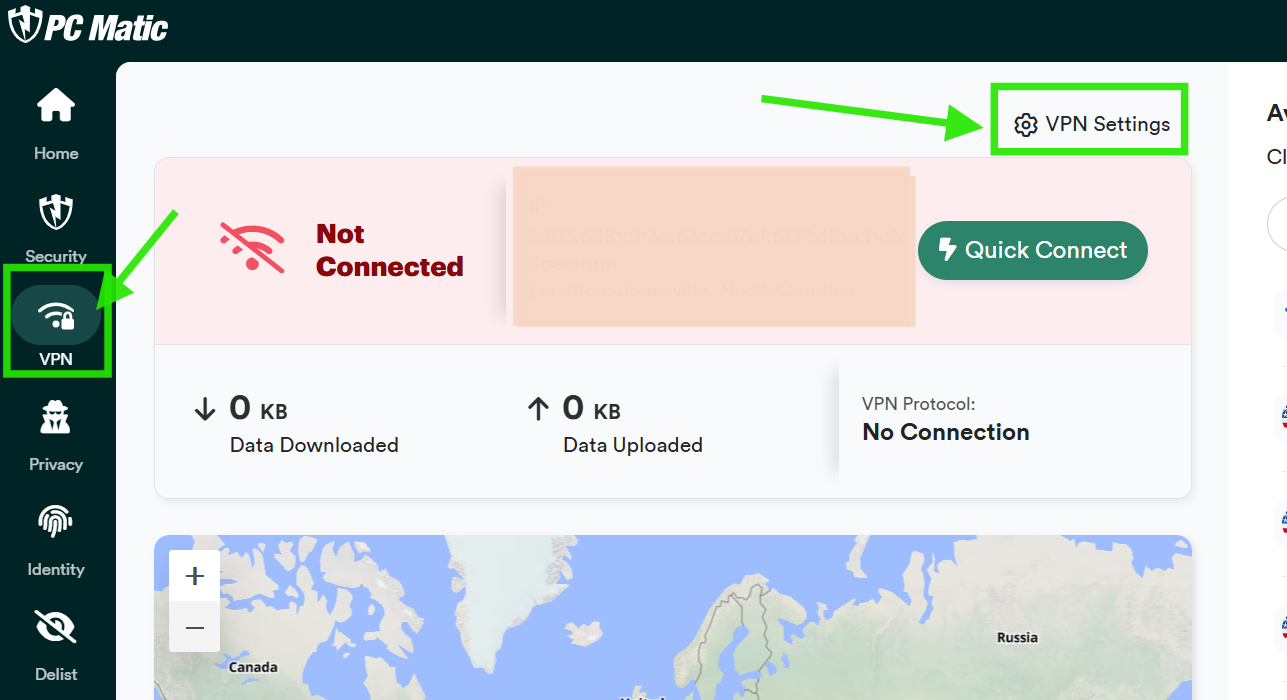
1) Open PC Matic, then click the VPN tab, followed by the VPN Settings button.
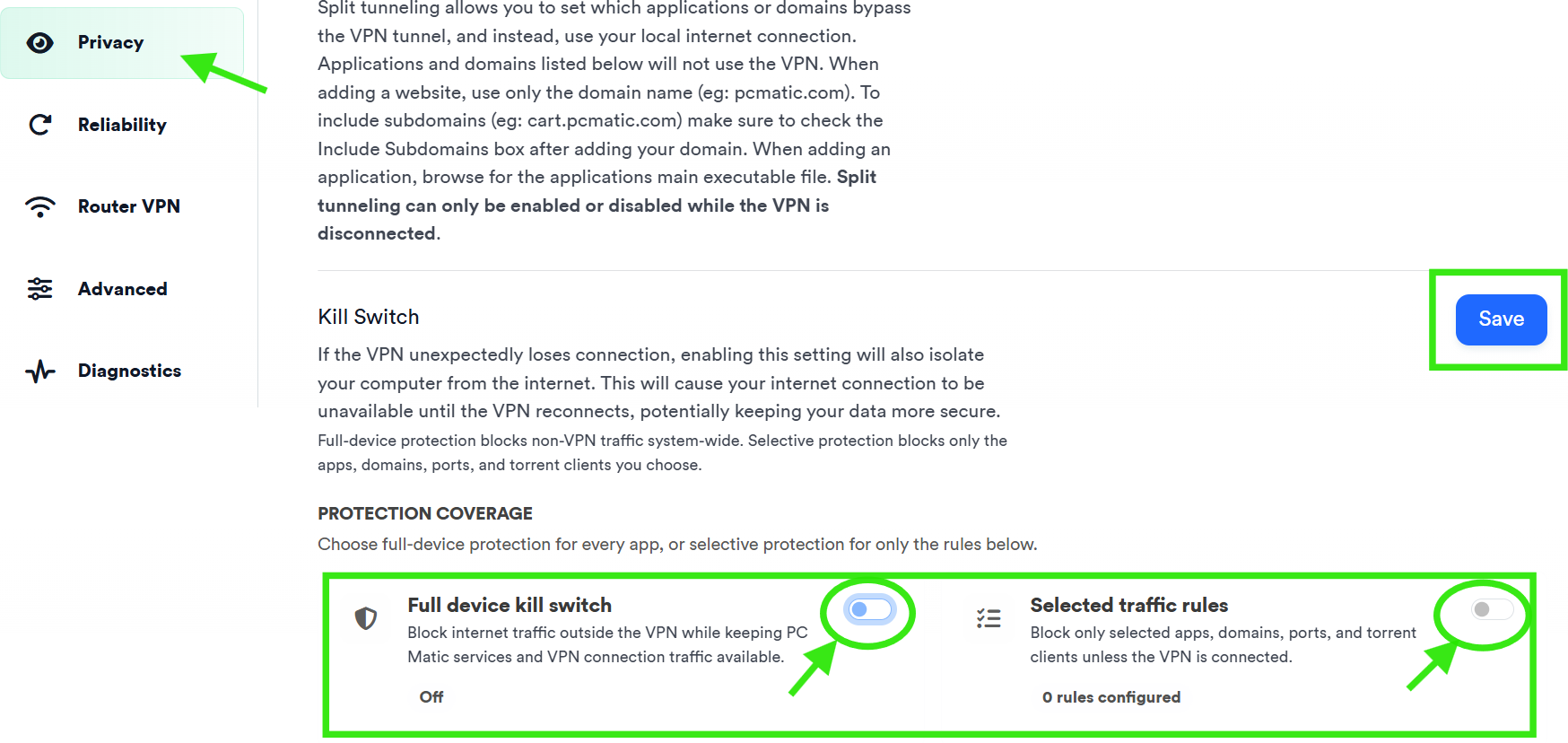
2) Click the Privacy option in the settings menu. Scroll down to Protective Coverage and ensure that Full device kill switch and Selected traffic rules, are turned off. Then click Save.
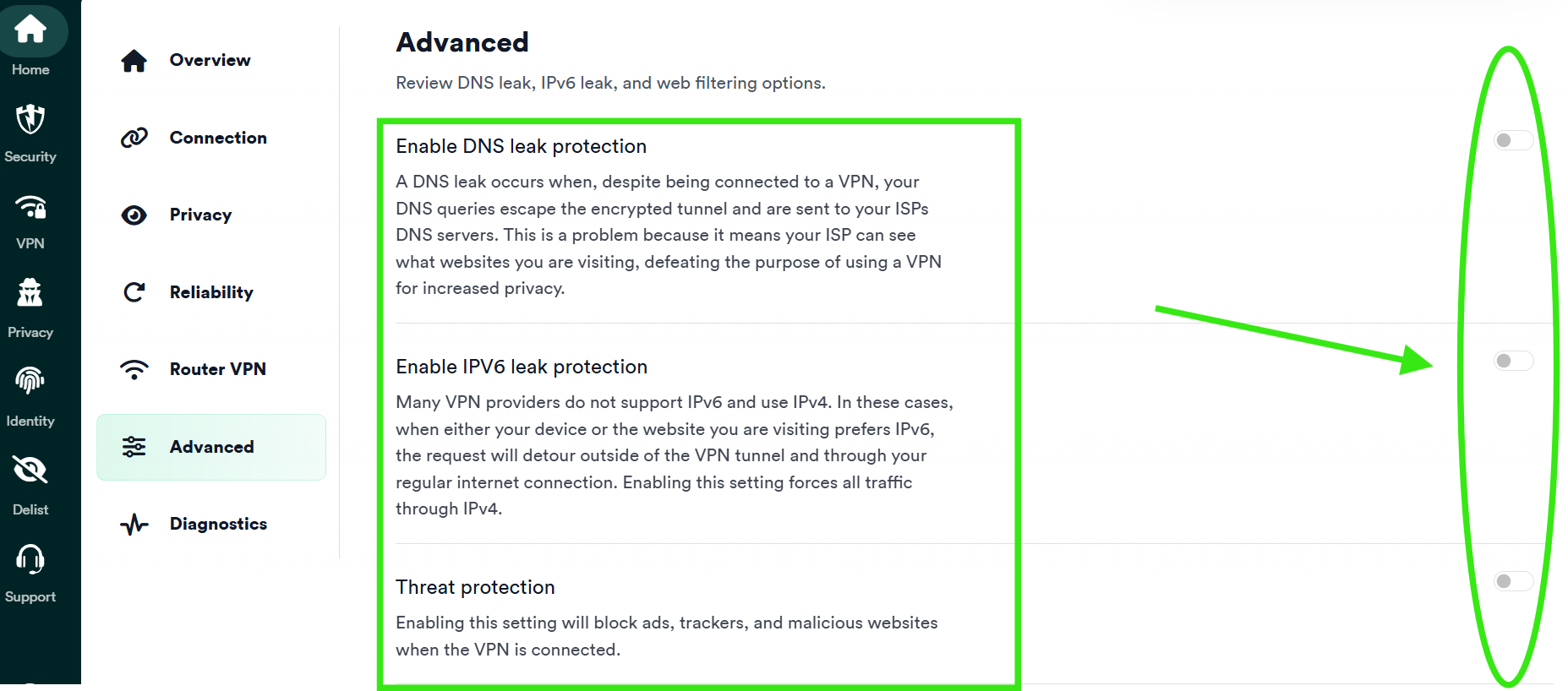
3) Click the Advanced tab in the settings menu next. Turn off all three settings listed here:
- Enable DNS leak protection
- Enable IPV6 leak protection
- Threat protection
4) Restart your device, and the issue should be resolved.
(Restarting is important to ensure all settings have been saved on your computer. Failure to do so, may prohibit the fix from working)